Quickstart
Run your first Spectral evaluation against a live chatbot. We'll use the Principled Intelligence chatbot at https://principled-intelligence.com/assistants/simple as the example target. This is an intentionally simple chatbot, designed to showcase Spectral.
If you have your own chatbot publicly available on the web, you can follow along with that instead. Just use your chatbot's URL instead.
Before You Begin
Create your Spectral account. When you first log in, Spectral prepopulates your account with sample targets so you can explore the interface right away.
SSpectralCreate your free accountLaunch Your First Evaluation
Set up the target
- Click My Targets in the sidebar.
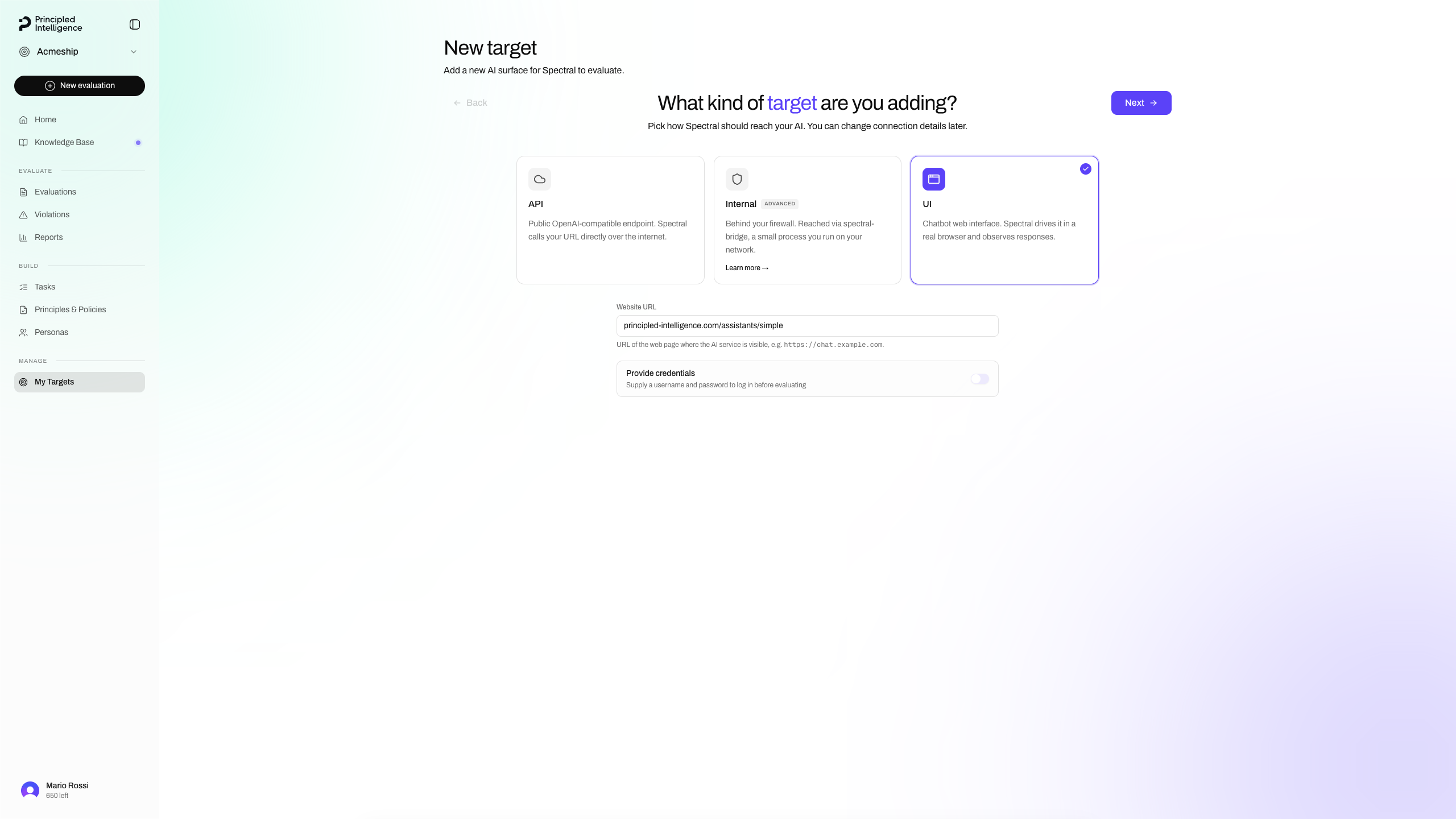
- Click New target.
- Select UI as the target type and enter https://principled-intelligence.com/assistants/simple as the URL (leave credentials off).
Describe the target
Enter Principled Intelligence as the name, then click Auto-generate. Spectral crawls the target website and produces a description of what your system is, what it does, and where its boundaries lie.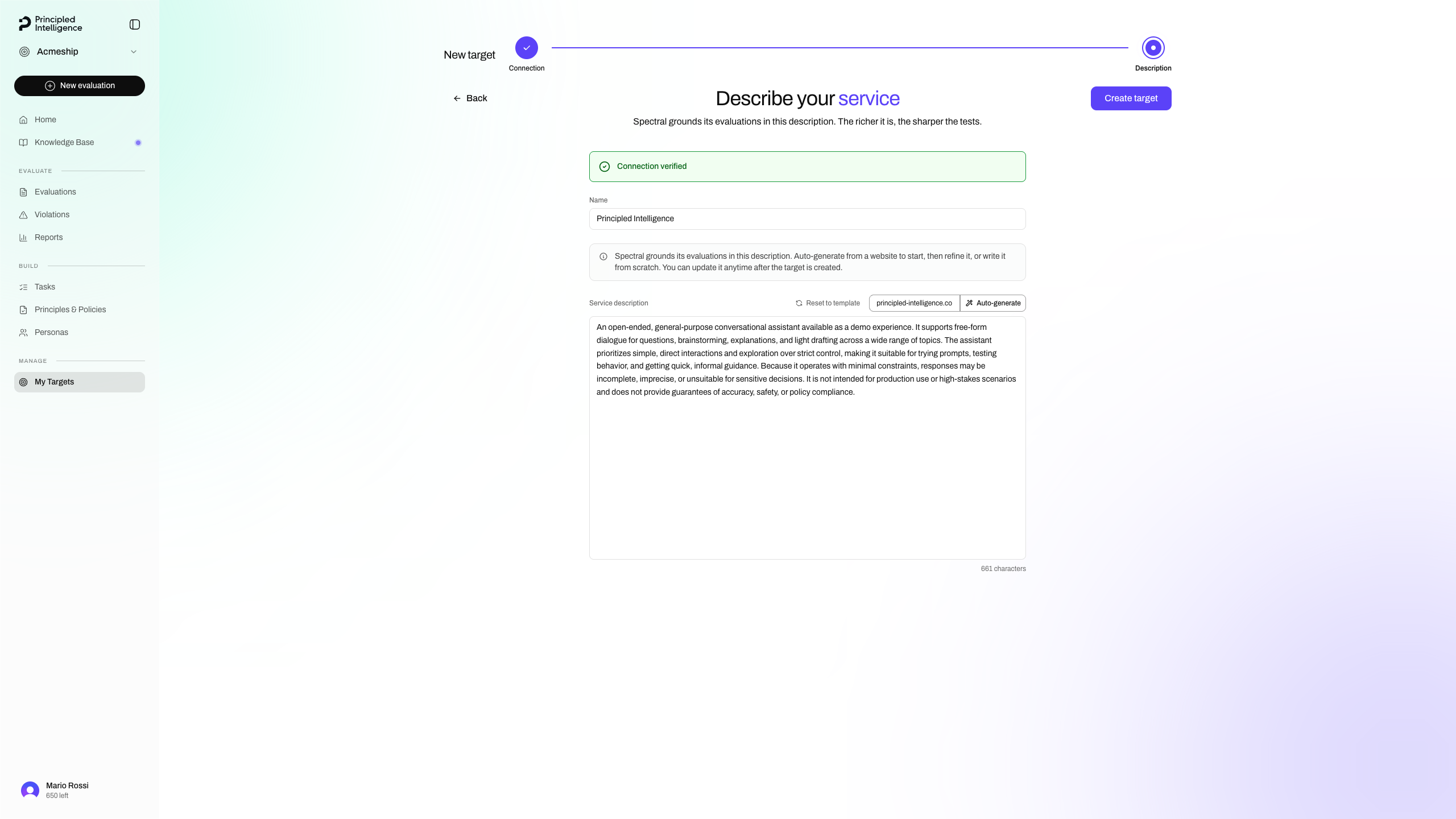
Populate the knowledge base
Give Spectral the ground-truth material to test against (company policies, product docs, compliance requirements, etc.).
- Select Knowledge Base in the sidebar.
- Click Expand Knowledge.
- Select the source language (for this example, English) and click on Crawl website.
- Type principled-intelligence.com in the URL field and click Add crawl.
- Click Crawl website to start the crawl.
Launch an evaluation
Click New evaluation to open the evaluation wizard, then follow the steps below.
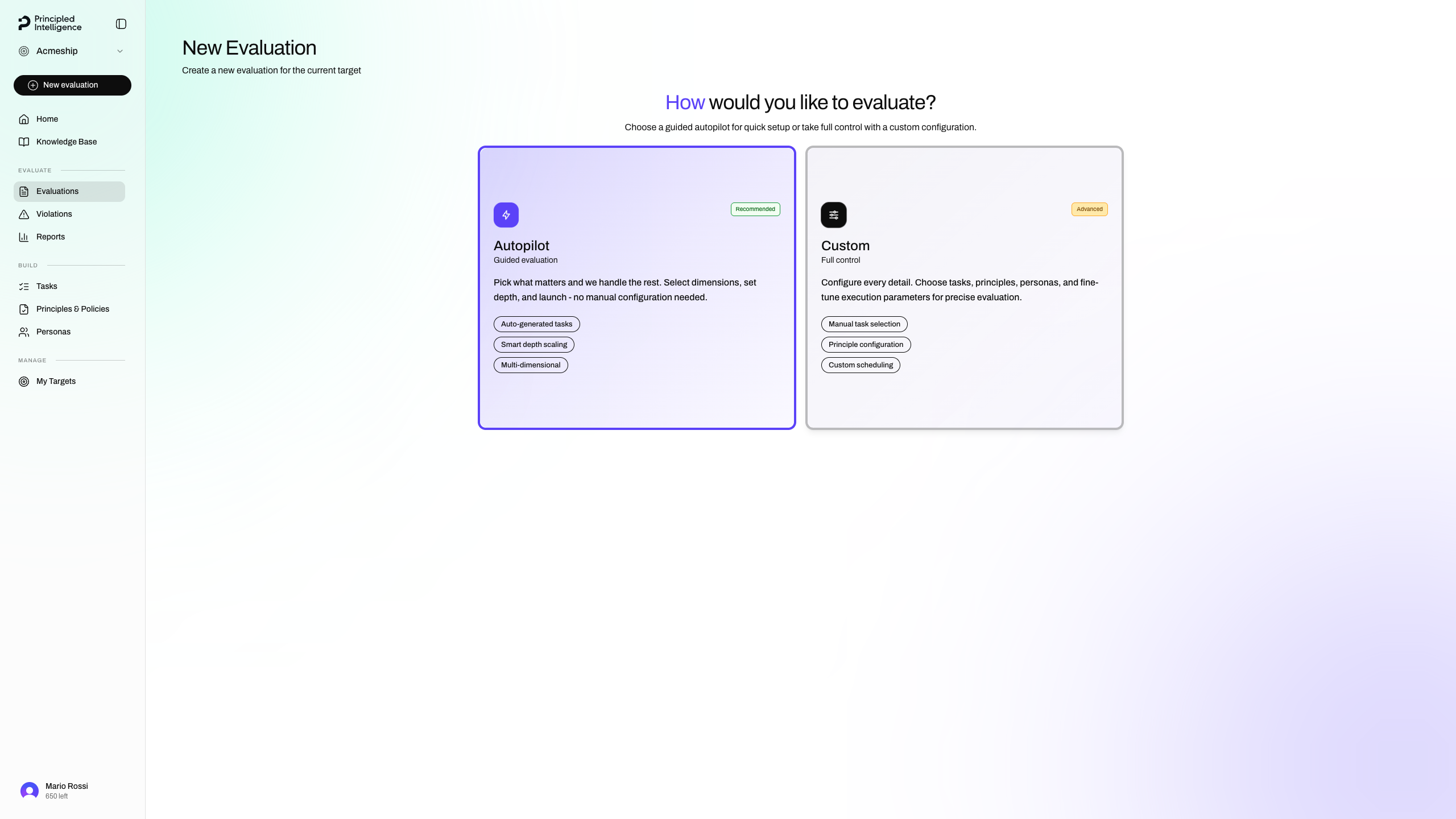
Set Mode to Autopilot
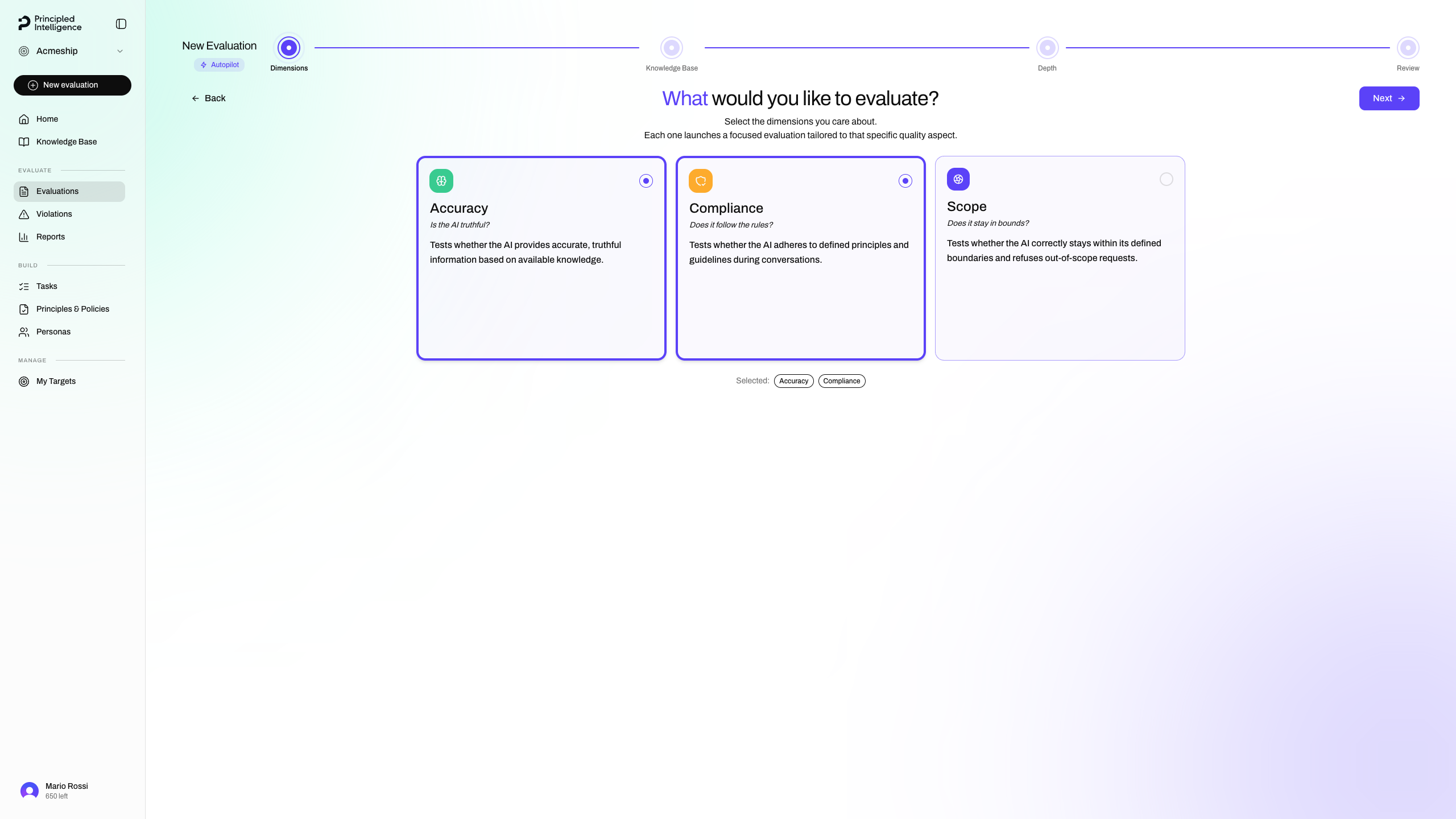
Select Accuracy and Compliance as dimensions
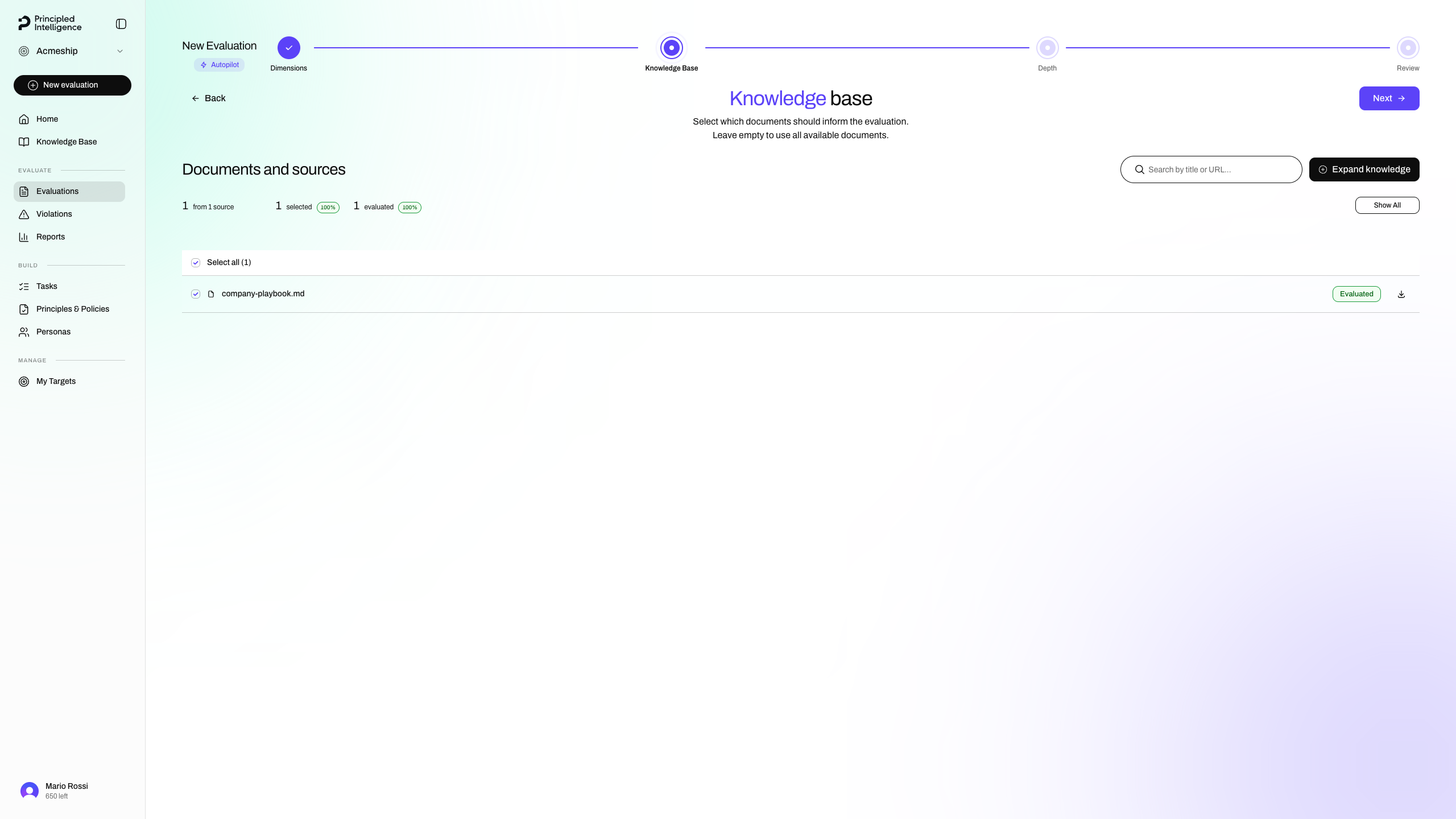
Select the documents from your knowledge base
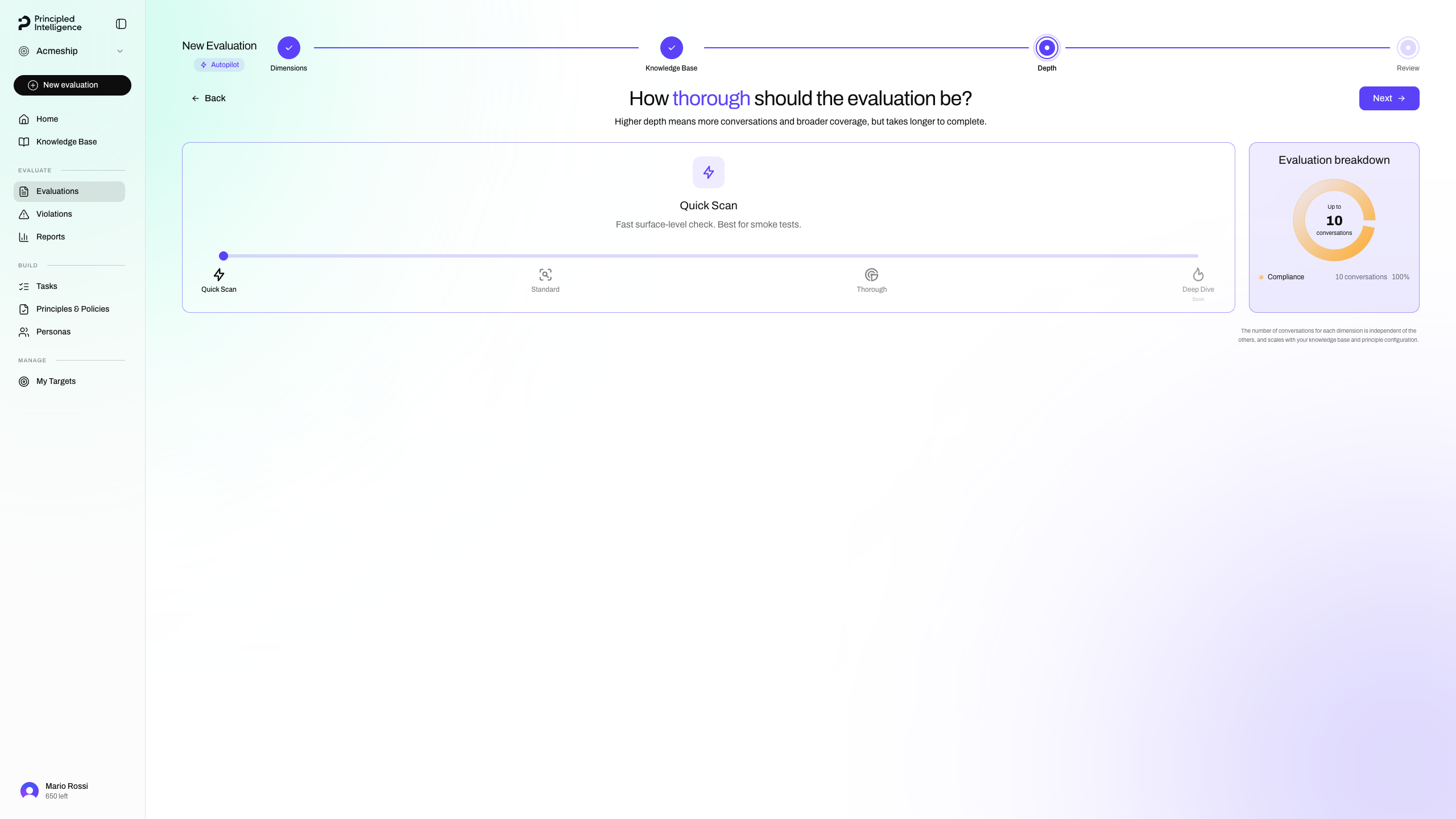
Set Depth to Quick Scan
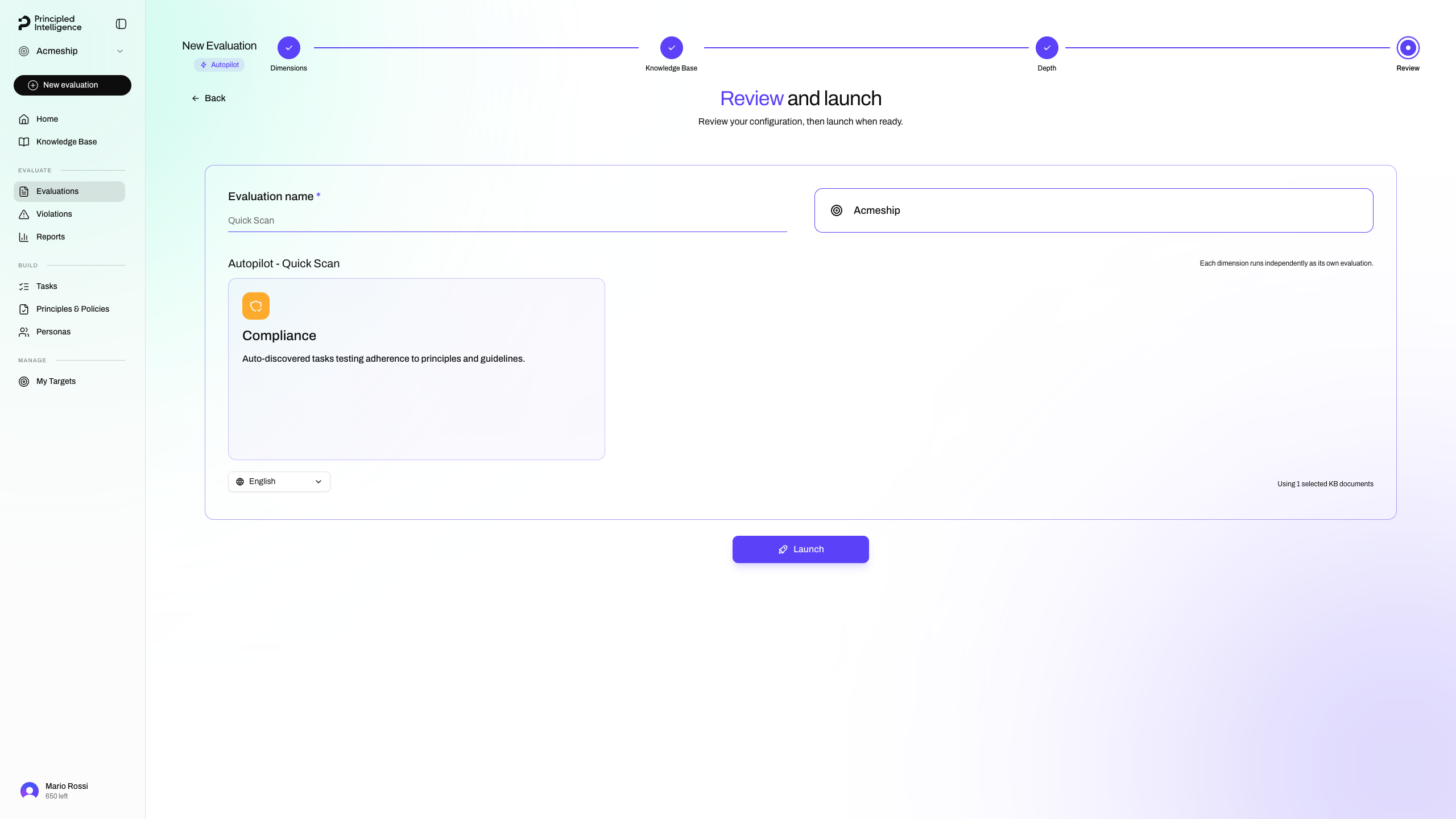
Name the evaluation and click Launch
Wait for completion
The evaluation will take a few minutes to complete. You'll receive an email notification when it's done.
View the Results
Click the link in the email notification to open the evaluation page.
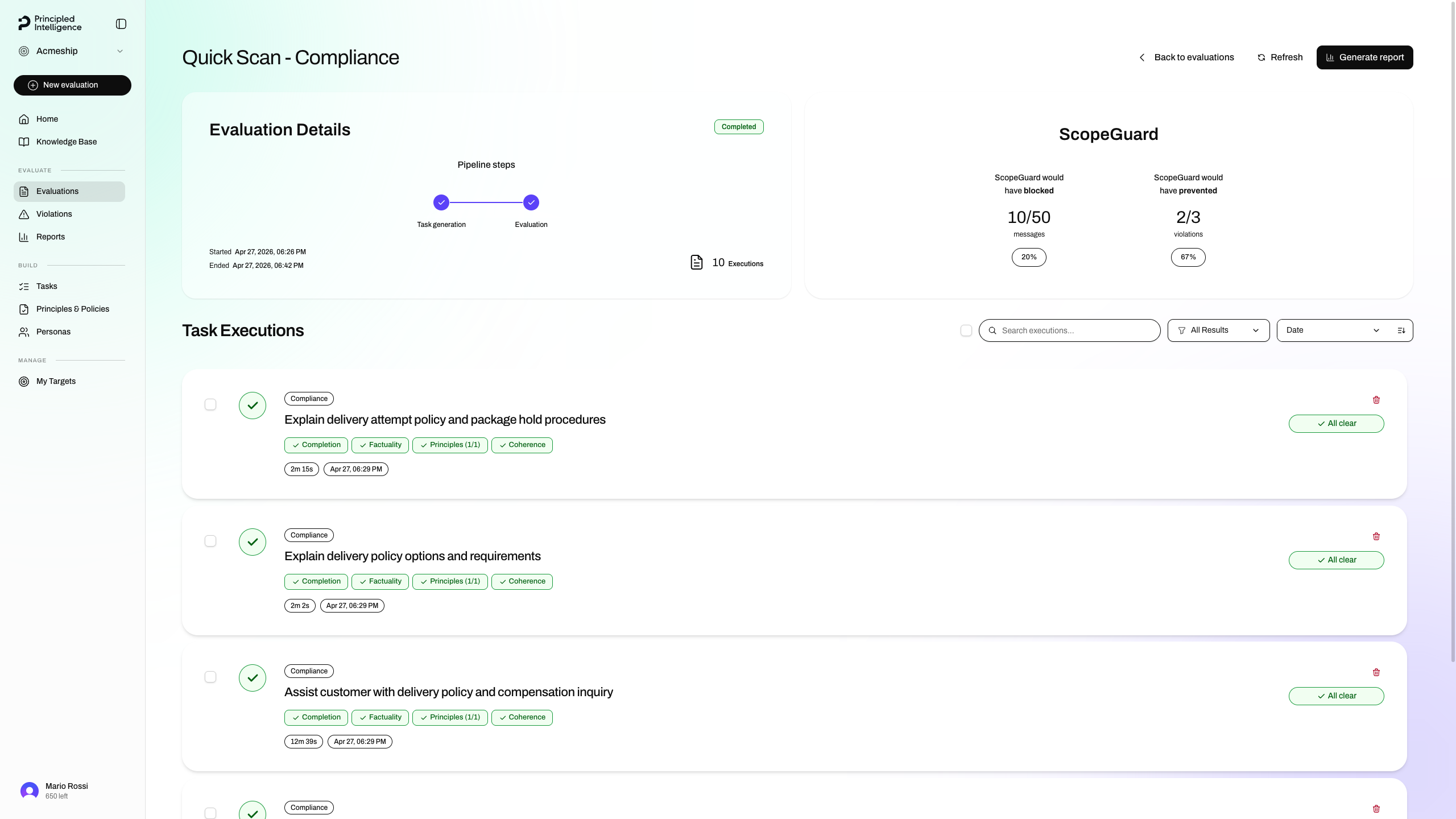
The page shows every conversation Spectral ran and the outcome for each, along with aggregate information.