Create a Persona
A persona defines who the synthetic user is. A well-written persona shapes how the agent communicates, what it knows, and how it behaves throughout a conversation.
Open the Create Persona dialog
Navigate to Personas in the sidebar, then click Add Persona.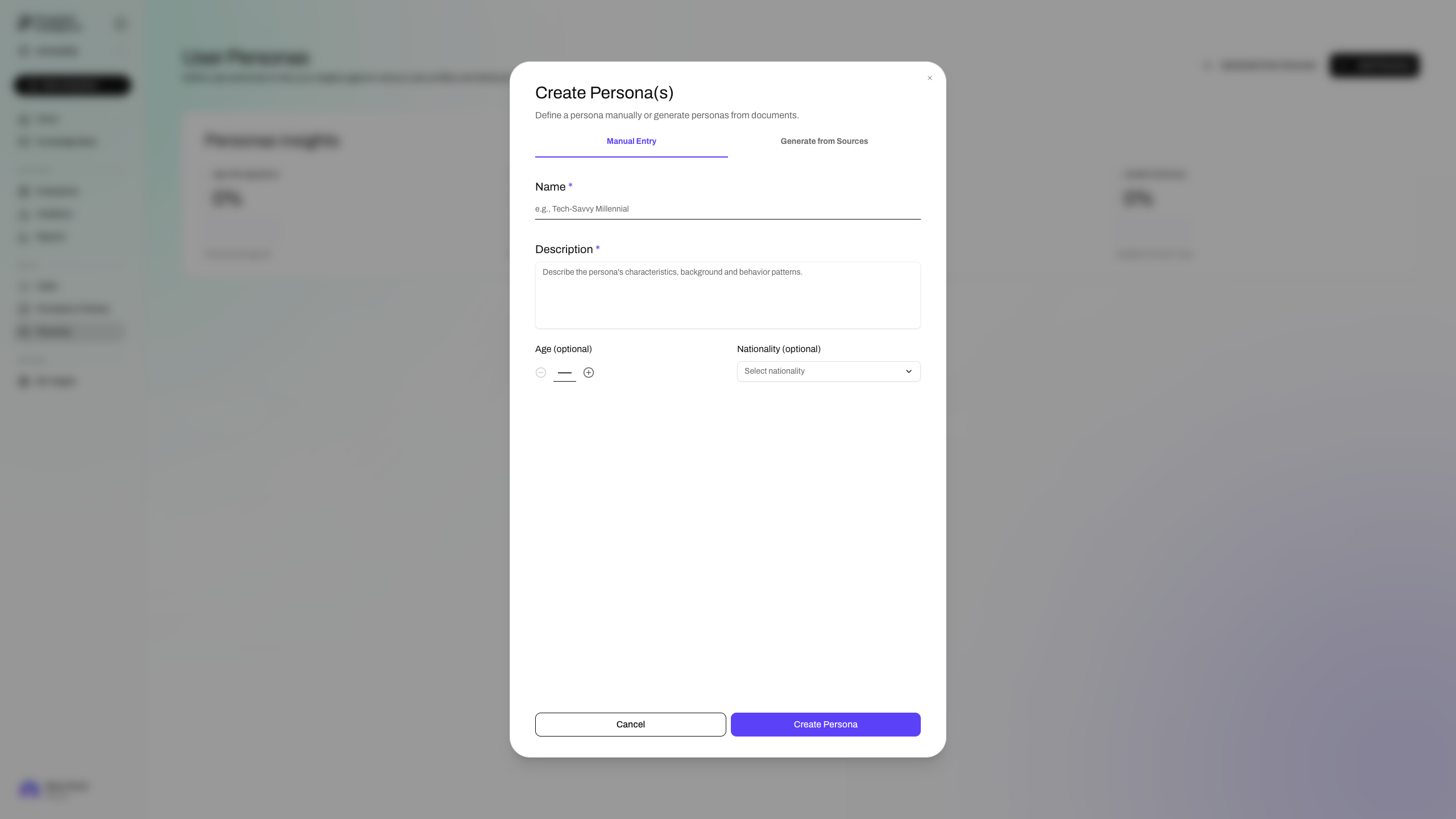
Name
Give the persona a descriptive name that captures its core identity. Be specific enough that the name alone hints at the type of user this represents, for example "Tech-Savvy Millennial" or "Frustrated Enterprise Admin".
Description
Describe the persona's characteristics, background, and behavioral tendencies. Include communication style, domain knowledge level, goals, and any relevant constraints or frustrations. The richer the description, the more realistic and consistent the synthetic user's behavior will be across conversations.
Age (optional)
Set an age if it is relevant to how this persona would interact with your system. Leave blank if age is not a meaningful variable for your evaluation.
Nationality (optional)
Set a nationality if regional context, language preferences, or cultural expectations matter for your evaluation. Leave blank otherwise.